Fly confidently with an EFB built by instrument pilots
PIC, short for Pilot in Command, is 480data's Android app for US general aviation: FAA charts and plates, a planner that does the arithmetic and shows its working, synthetic vision with a highway in the sky, and alerts that speak once and then let you fly.
PIC is new, written for current Android. There's no decade of legacy code underneath it and no ancient tablet setting the pace, so nothing holds it back.
One flight, start to finish
Where PIC helps on a typical IFR trip, in the order you'd meet it. A VFR flight uses the same MFD, alerts and weather, without the procedures.
-
At homePlan the route
- Type the whole route, or build it one waypoint at a time with names you can read, then reverse it for the trip home.
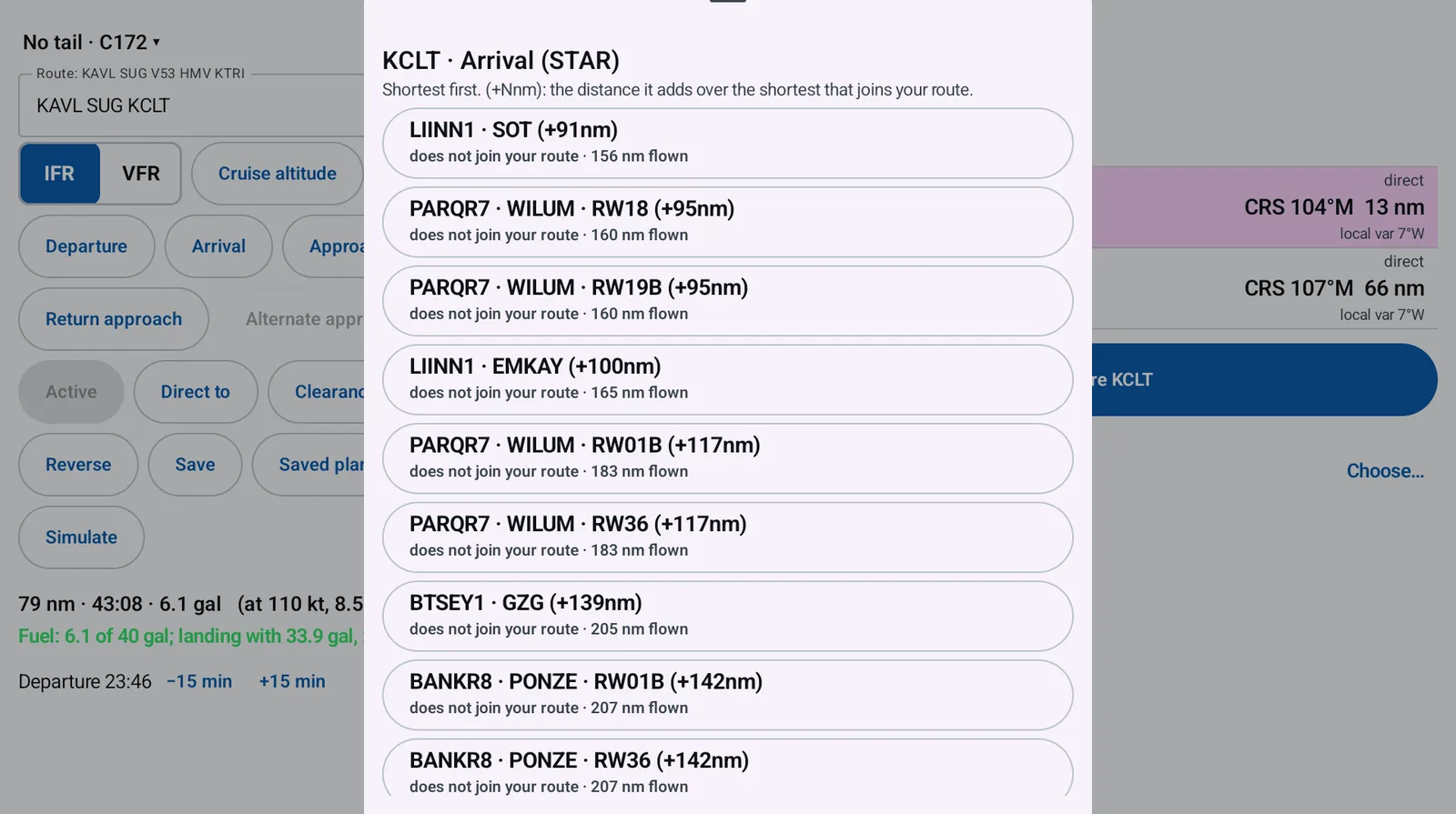
- Departures and arrivals ranked by the distance you'll fly. Each one shows (+Nnm), the miles it adds over the shortest one that joins your route, and the ones your aircraft can't fly are hidden.
- Pick the approaches at your origin, destination and alternate while you plan.
- Auto altitude weighs fuel and time against the minimum safe altitude, the airway MEAs for your VOR or GPS equipment, and TFRs.
- Auto alternate checks each candidate against your filed equipment and the forecast at your ETA, by the FAA's alternate rules.
-
Before engine startBrief and preflight
- Radar, lightning, PIREPs, SIGMETs, G-AIRMETs and center weather advisories, with forecast times out to twelve hours.
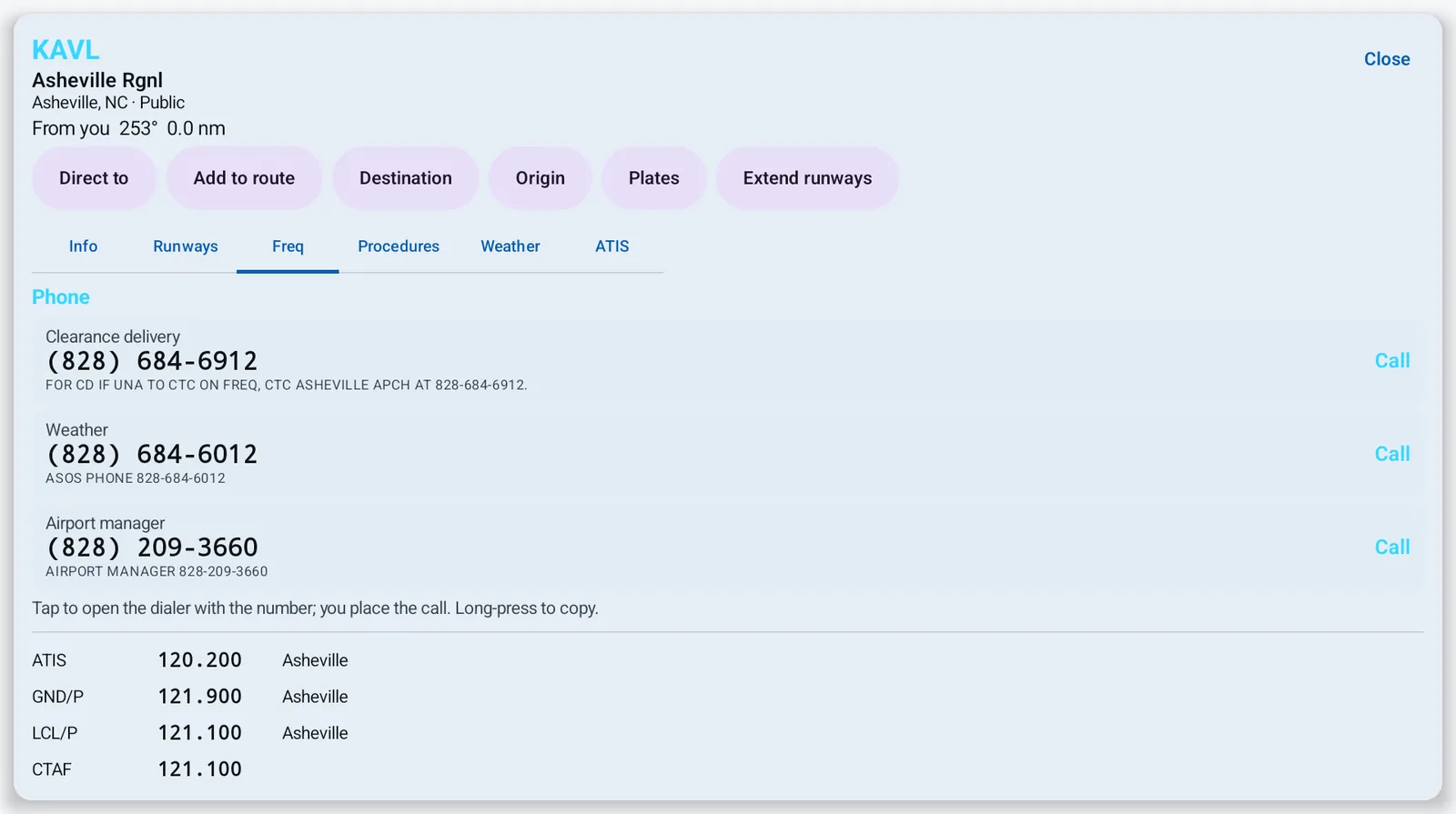
- The airport sheet: runways with today's wind components, frequencies, text ATIS, and remarks with phone numbers you tap to call.
- Tell PIC the fuel on board and its grade, including Swift 100R, work out weight and balance, and run your checklists.
- Connect your ADS-B receiver over Wi-Fi: Stratux, iLevil, SkyEcho, Sentry and other GDL 90 receivers work, and an iLevil BOM puts real indicated airspeed on the PFD.
-
Taxi and climbDepart
- Runway awareness: PIC tells you which runway you're on, and warns when you're about to take off from something that isn't a runway.
- An altimeter setting that disagrees with the nearest METAR is flagged before it matters.
- Set your assigned altitude and PIC watches the level-off.
-
En routeFly the plan
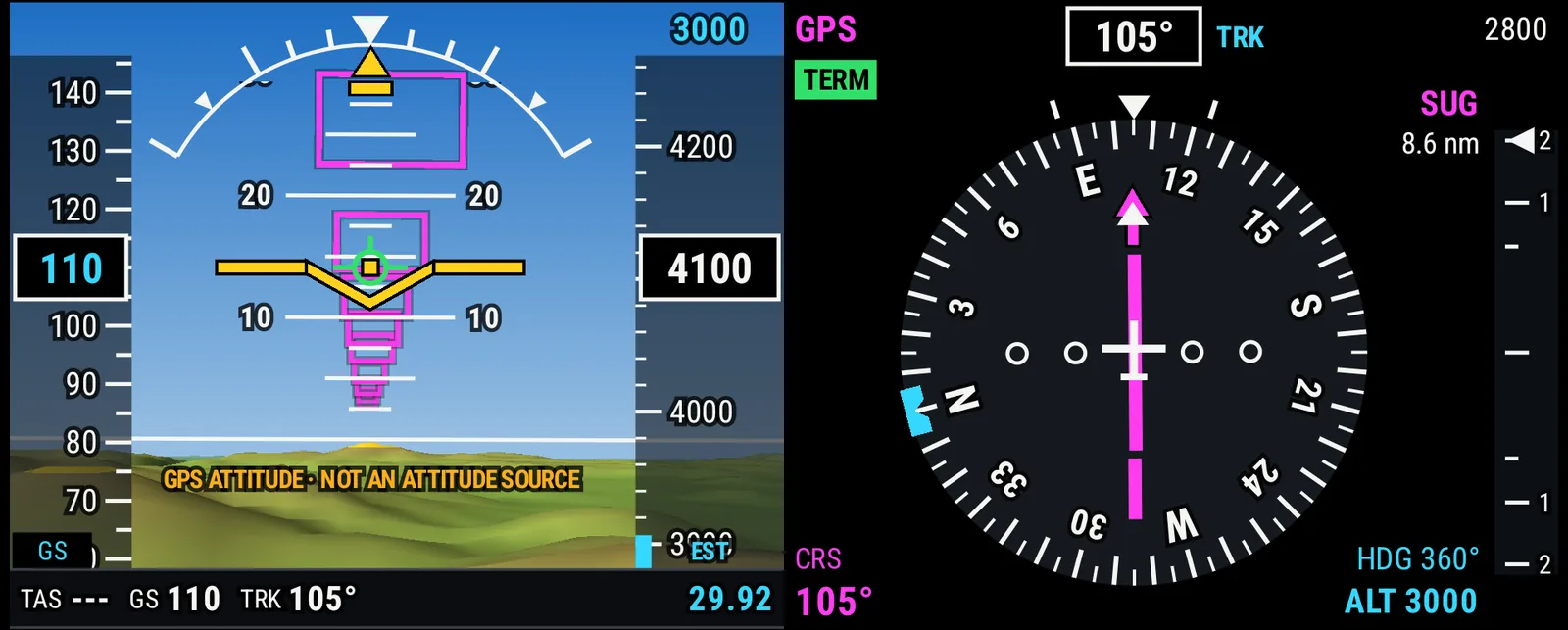
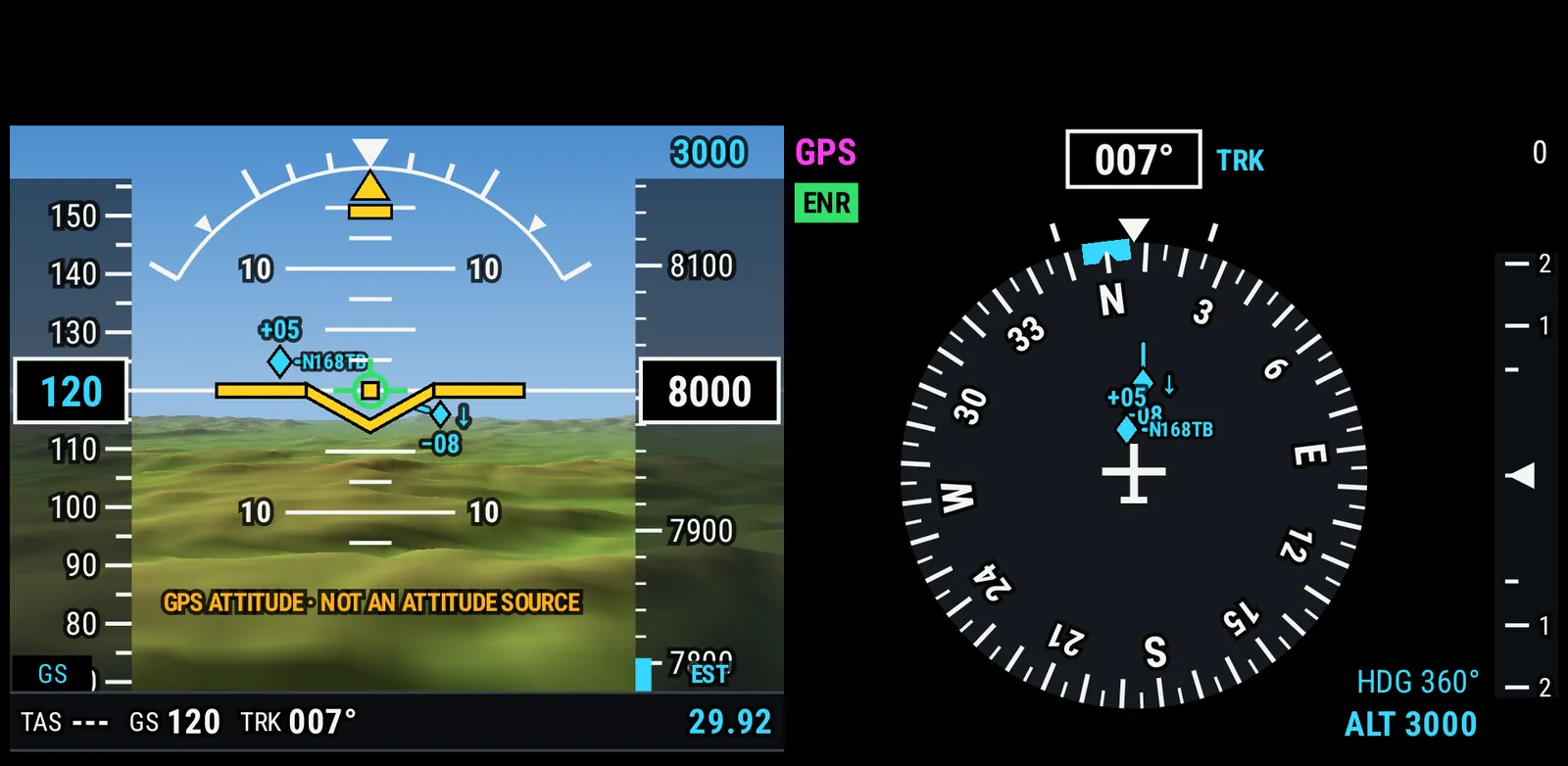
- The PFD and the MFD (the moving map) on their own or split-screen together, with synthetic vision, a highway in the sky, and traffic drawn with standard TCAS symbols on the PFD, HSI and map.
- Send the route to an autopilot, moving map or fuel computer through a Bluetooth serial adapter (NMEA 0183, Garmin Aviation or GNS 480 MapCom), with a PortaPilot compatibility mode that turns holds, procedure turns and arcs into waypoints it can fly.
- Weather from your ADS-B receiver in the air, or the internet when you have it.
- Fuel remaining estimated through climb, cruise and descent, with alerts at the regulatory reserve and at your own.
- Point Brief: press and hold anywhere on the MFD for everything PIC knows there, most important first: airspace, special use airspace and TFRs, weather, the MVA, terrain and what's nearby. Fly a published hold, build an unpublished one, or add a user waypoint from the same card.
-
ArrivalApproach and land
- Approaches flown with guidance through the missed approach, with "Too low" and "Glidepath" callouts below published altitudes.
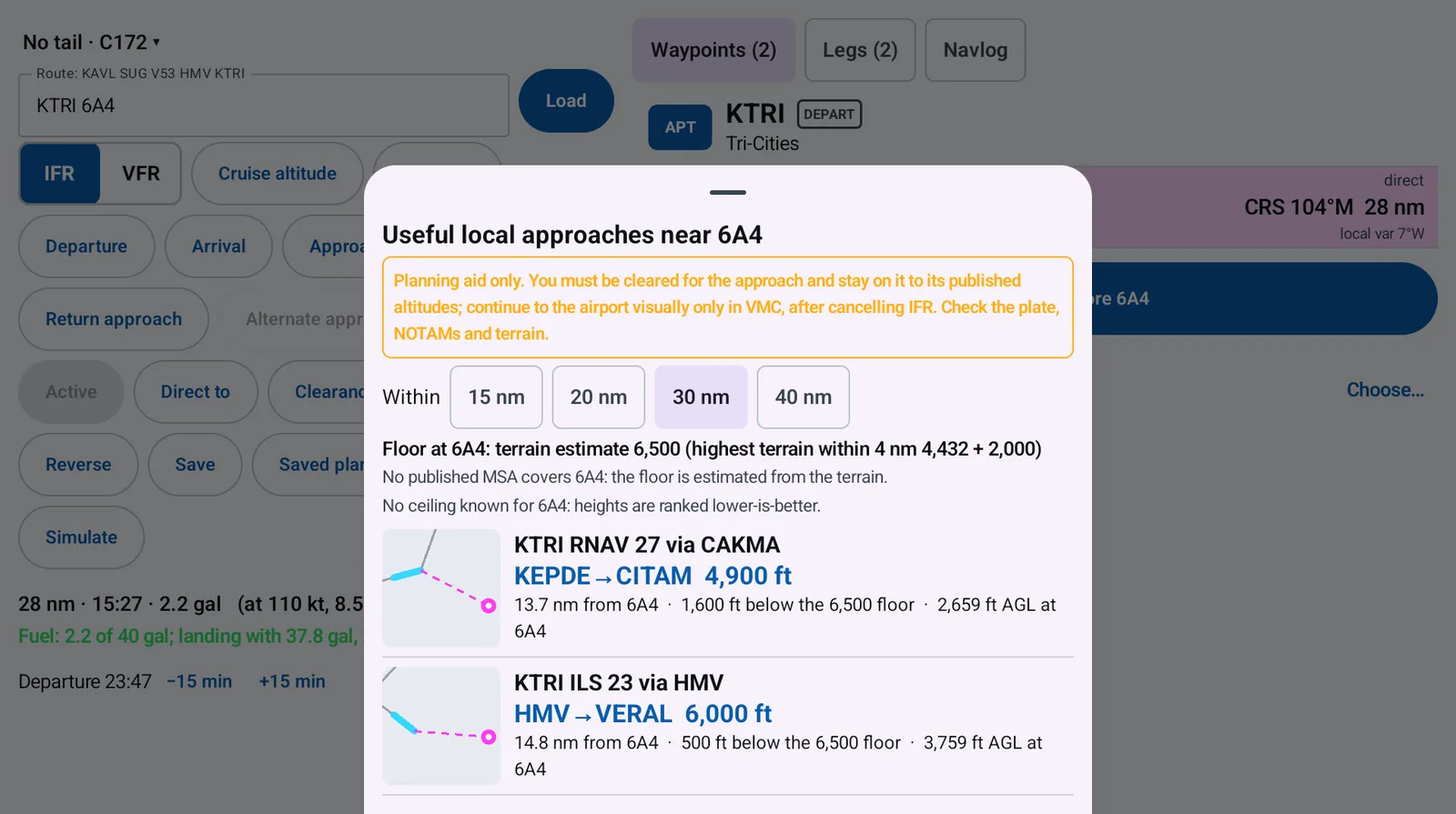
- Useful local approaches: approaches at nearby airports that get you below the minimum safe altitude near your field.
- Vector plates, airport diagrams and a satellite view of the airport.
- The PROC display shows the plate for the procedure you've loaded, next to the PFD or MFD if you like, with your position on georeferenced plates, page flips and a turn button.
- The circling area drawn on the MFD for your approach category, labelled with the plate's circling restrictions.
- As you arrive at an airport, the alerts a normal landing would set off are held back. Warnings still sound, and the alerts come back on a go-around.
From the app
Screens from PIC's test lab, on an Android tablet with test data. Nothing here is a mock-up.
Built on the sources you'd brief from
PIC turns public government data into something you can use in the cockpit, and updates it on the FAA's 28-day cycle.
- FAA aeronautical data
- Procedures from the CIFP; airports, navaids, airways, MEAs and remarks from NASR; plates and airport diagrams from the d-TPP; enroute charts, sectionals and terminal area charts.
- Weather
- METARs, TAFs, PIREPs, SIGMETs, G-AIRMETs and center weather advisories from aviationweather.gov, NEXRAD radar through the Iowa Environmental Mesonet, lightning from NOAA's GOES satellites, or FIS-B from your ADS-B receiver.
- Traffic
- ADS-B from a GDL 90 receiver over Wi-Fi, such as a Stratux or an iLevil, or internet traffic when you're online.
- Terrain and imagery
- Terrain heights for the alerts and synthetic vision; USDA NAIP aerial imagery through the USGS for airport satellite views.
You're still the pilot in command
PIC is an aid to situational awareness and planning. It isn't a certified navigation source, its attitude comes from GPS or a portable AHRS rather than a certified attitude source, and it doesn't replace an official briefing, NOTAMs, current publications or your own judgement.
Where PIC makes a choice for you, like an altitude or an alternate, it shows the reasons so you can check them.
PIC is in beta.
It runs on Android tablets and phones. Tell us what you fly and we'll get you on the list.